


Make Kadaza Your Homepage in Safari
Follow the steps below to set Kadaza as your homepage and have it open automatically when you start Safari on your Mac.







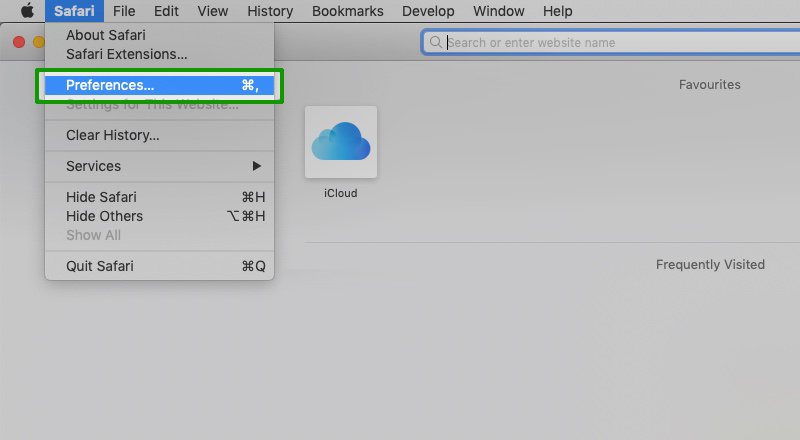
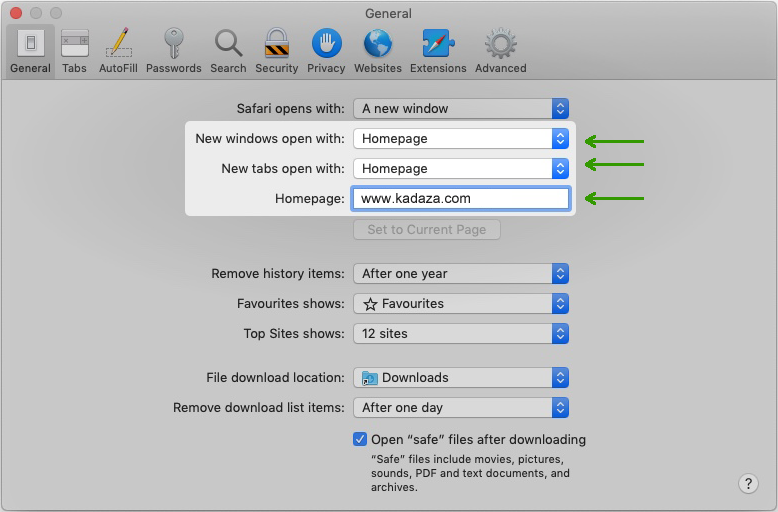
Follow the steps below to set Kadaza as your homepage and have it open automatically when you start Safari on your Mac.


 .
.